
Unmanned reception and goods in
Nobody on the desk, and nobody left standing at it
Plenty of sites have a reception with nobody in it: a bell, a list of extensions, and a visitor book nobody supervises. The kiosk is built for that room. A visitor signs in on the iPad, or a driver logs a delivery, and the person they are here for is told straight away in Microsoft Teams or Slack. Everybody who signs in is on the record and the fire roll call, whether or not anybody saw them arrive.
Sign in on a demonstration kiosk, then open the fire roll call on your phone. Do not enter real details: everything typed is deleted within the hour.
From £150 a month plus VAT, iPad and stand included. The Teams and Slack alerts are part of that price, not an add-on.
The problem
An empty reception fails quietly, four ways
The bell nobody hears
A bell, or a phone with a list of extensions on the wall. It works if the person they want is at their desk, knows that ring is for them, and is not wearing ear defenders on the shop floor.
The driver who goes looking
A driver with a pallet and a schedule does not wait long. They walk through the nearest door to find somebody, and the first anyone knows of them is a stranger on the shop floor.
The book nobody supervises
A visitor book on an empty counter gets filled in by the conscientious and ignored by everyone else. The record has gaps exactly where you would want it not to.
A fire list with holes in it
If signing in depends on somebody being there to ask for it, the people missing from the roll call are the ones who arrived when nobody was.
What the host sees
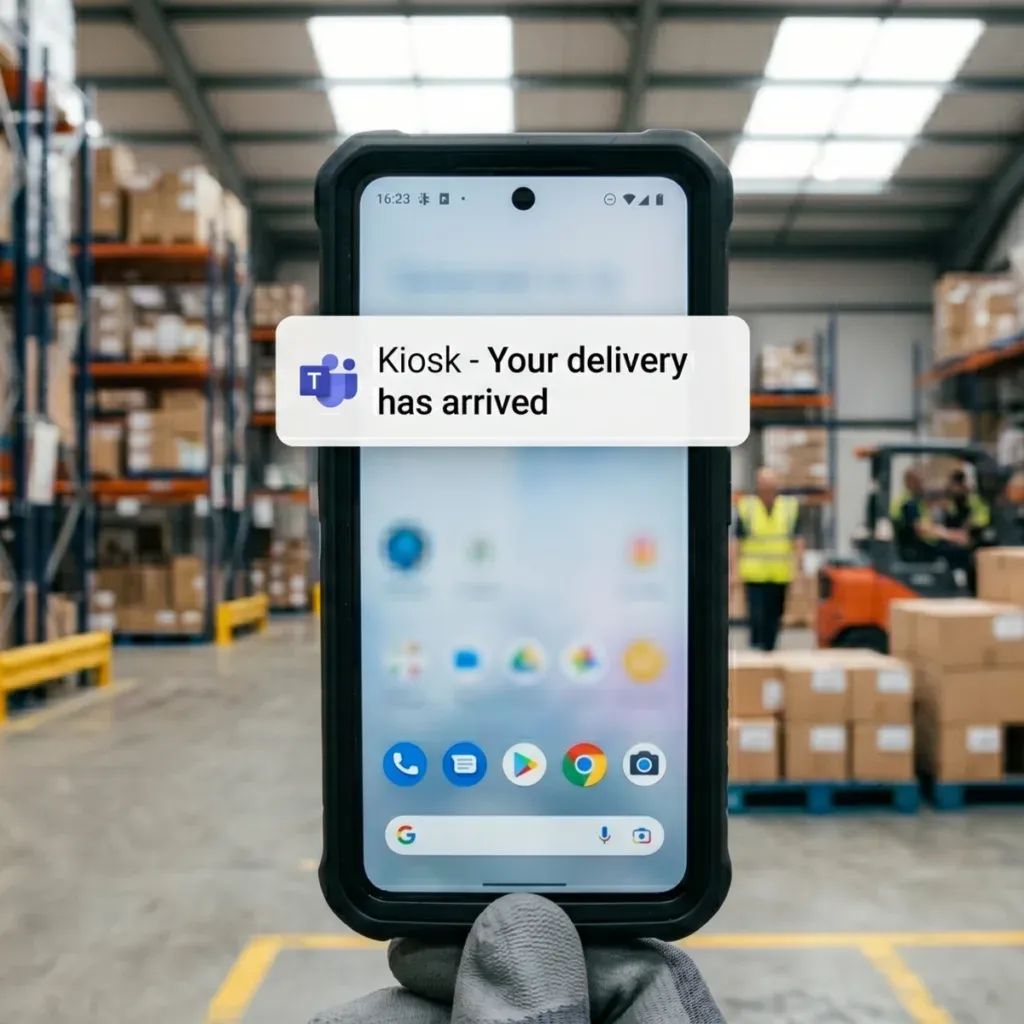
A message with their name on it, not a bell in an empty room
No tannoy, no wandering the floor looking for someone, and nobody has to sit at a desk all day in case somebody comes.
How it works
Four things happen, and none of them needs a receptionist
They choose who they are here to see
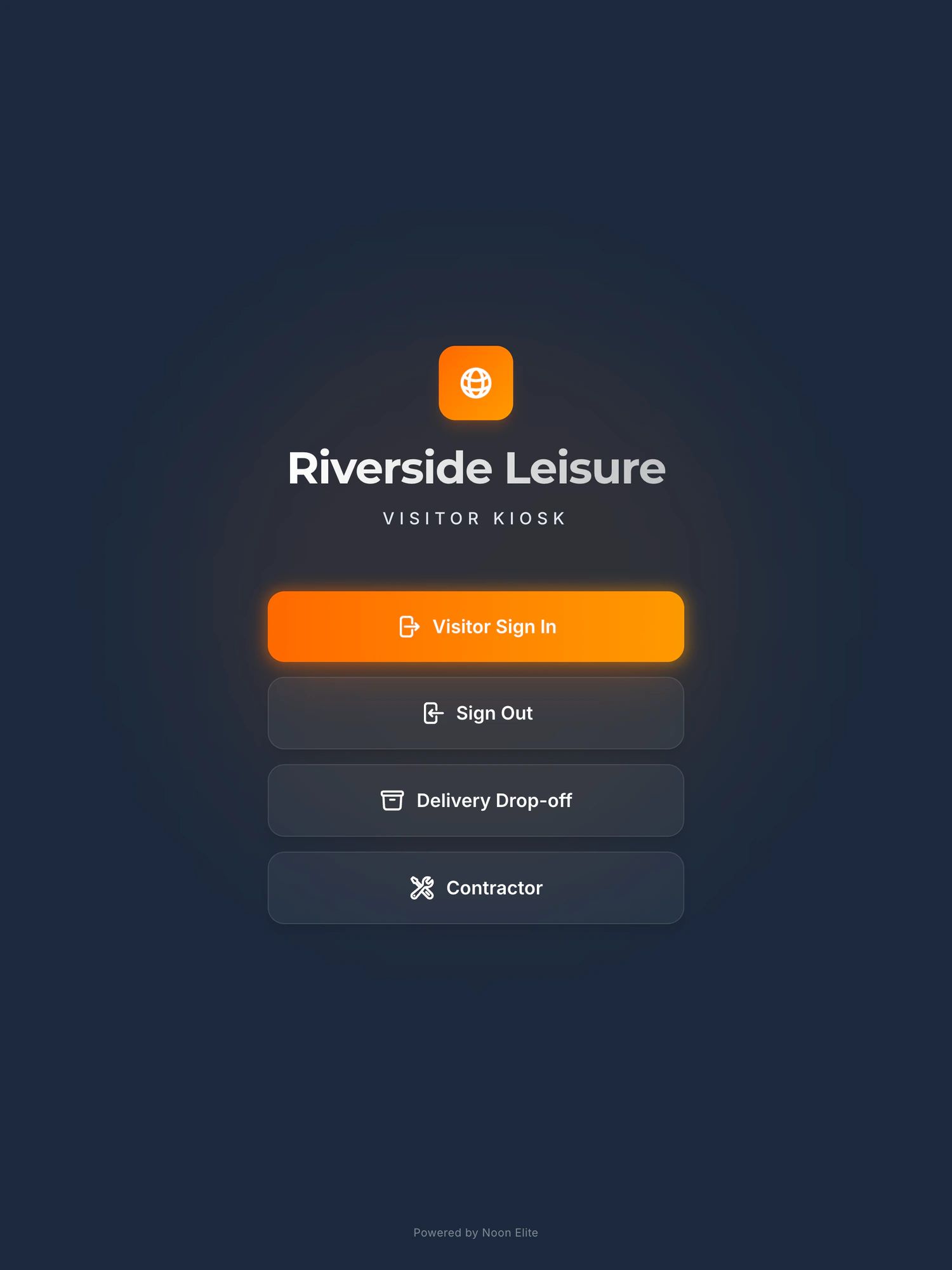
The screen offers visitor sign in, sign out and delivery drop-off, with a contractor option if you take the permit to work module. A visitor enters their name and company and picks the person they have come to see. Nobody has to be shown how.
That person is told, by name
The host gets a message straight away in Microsoft Teams or Slack, on their desktop or their phone. It goes to the person, not to the whole office, so it is not the kind of alert everybody learns to ignore.
Deliveries take seconds
A driver who is not staying uses the delivery drop-off rather than the full sign in. The delivery is logged with the time and the carrier, and whoever it is for is told it has arrived. It is a log entry, not a sign in, so a courier who only drops off is not on the fire roll call. A driver who is staying signs in as a visitor, and is.
Visitors are on the record, and on the roll call
Every sign in is recorded without anyone writing it down, your site rules are accepted on screen before the visitor goes further, and everyone signed in is on the live fire roll call from that moment until they sign out.
The visitor management kiosk in fullThe fire roll call systemContractors, RAMS and site rulesMore than one site
What it needs from you
A socket, WiFi, and somewhere for people to wait
- WiFi and a mains socketThat is the whole installation. Nothing goes on your network: no server, no agent, no firewall rules.
- Microsoft Teams or SlackWhichever your business already uses. The alerts are part of the platform price, not an add-on. Sending them into a particular channel rather than to the host is something sites ask for, and we scope it on the call.
- Somewhere for the visitor to waitThe kiosk tells the host. The host still comes and gets them, which is the point: nobody walks on to the floor alone.
- A second unit, if goods in has its own doorSites with a separate goods in entrance usually take a second kiosk there rather than sending drivers round to the front. It is priced on the call.
Every price, in publicThe business case, for whoever signs it offNo budget? A QR code and Microsoft Forms, free
Before you ask
The questions sites with an empty reception ask
What happens when a visitor arrives and nobody is at the desk?
They sign in on the iPad, choose the person they are here to see, and accept your site rules on screen. That person gets a message in Microsoft Teams or Slack straight away, and comes to collect them. The visit is on the record and the visitor is on the fire roll call from the moment they sign in, whether or not anybody saw them arrive.
Does it work with Microsoft Teams and with Slack?
Either. The alert goes to the named host rather than to the whole office, and it is part of the platform price rather than an add-on. If you would rather arrivals went into a particular channel, goods in for instance, that is something sites ask for and we scope it on the call.
Can it unlock the door, or work as an intercom?
No. It is a register and an alert, not a door controller, and there is no voice or video. Connecting to an existing door or access control system is something sites ask for; it is scoped and quoted as a fixed price piece of work before anything starts, rather than being part of the standard setup. If door entry is the real project, start with your access control supplier.
Do delivery drivers have to go through the whole sign in?
No. The home screen has a delivery drop-off option for drivers who are not staying. It logs the delivery with the time and the carrier and tells whoever it is for. It is not a sign in, so a courier who only drops off does not accept your site rules and is not on the fire roll call. A driver who will be on site for a while, or going beyond goods in, should sign in as a visitor instead, and then is.
Is it safe to leave an iPad in an empty reception?
It is a commercial grade iPad in a locking enclosure on a steel floor stand with a concealed power cable, locked to a single application so it cannot be used for anything else, and it can be locked or erased remotely. Under the terms, loss and theft are the site’s responsibility, so put it inside the building where you would put anything else you did not want carried off.
What if the host does not see the message?
Then the visitor waits, as they would have done at a bell. The difference is that there is a record that they arrived and when, and the message is sitting with a named person rather than ringing in an empty room. Who covers for a host who is away is a procedure for your site to decide, and we will set the kiosk up to match it.
We have a front door and a goods in door. Do we need two?
Usually, yes. Sites with a separate goods in entrance tend to take a second unit there rather than sending drivers round to reception, because a driver will use the door in front of them. A second unit is priced on the call.
Being straight with you
What this does not do
- It does not open the door and it is not an intercom. It is a register and an alert. Talking to an existing door or access control system is something sites ask for, and it is scoped and priced as a fixed piece of work, not part of the standard setup.
- The alert reaches the host, not a rota. What happens when that person is on holiday, in a meeting or on the shop floor with no signal is a procedure for you to decide: a deputy, a shared channel, a sign that says who to ring. Bring it to the call and we will set it up to match.
- An unattended iPad is a commercial grade unit in a locking enclosure on a steel floor stand, locked to a single application and remotely lockable. Loss and theft are nonetheless the site’s responsibility under the terms, so it belongs inside the building rather than in an open porch.
- It records who signed in. It cannot make somebody sign in, and an empty reception has nobody to ask them to. A kiosk facing the door with a sign above it gets used far more than a book on a counter, and it is still not a turnstile.
Next step
Tell us what happens at your front door today
Fifteen minutes on the phone. How many doors, whether anybody sits at any of them, and whether you are on Teams or Slack. We will tell you straight whether a kiosk fixes it.
Book a 15 minute callNo site visit needed and nothing to install. If it is not a fit we will say so on the call.
Would rather email? [email protected]
Not the person who signs it off? Send them the one page business case