
Offices and professional firms
Visitor sign in for offices, chambers and professional firms
A reception desk in a law firm, a set of chambers or an accountancy practice has one job the factory gate does not: nobody who comes in should learn who came in before them. The kiosk is the visitor book on an iPad with nothing on its screen but the visitor’s own details. It shows your confidentiality notice before anyone is signed in, keeps the record of who accepted which wording and when, tells your desk in Teams or Slack, and puts everyone on your floor on a roll call you read from a phone.
Sign in on a demonstration kiosk, then open the fire roll call on your phone. Do not enter real details: everything typed is deleted within the hour.
From £599 setup and £150 a month plus VAT, iPad and stand included.
Who this is for
A floor or a building with a staffed desk, and people who expect discretion
Clients and counsel, candidates for interview, auditors, couriers, and the contractors who come with a refit. Often a floor of a shared building, where the ground floor reception belongs to the landlord and the firm’s own desk is the one that matters. The paper book on that desk does three jobs badly: it shows every visitor the names above theirs, it cannot prove what anyone was told on the way in, and when the alarm goes it is downstairs.
The moment most firms change it is a move. A new office, a new floor, a refit: the one time the desk can be set up properly without anybody noticing a change.
What the kiosk does
The desk’s four jobs, done by an iPad at your door
Nothing on the screen but the visitor’s own details
The iPad never shows a list of who is in. Signing out means typing your own name and confirming a masked match. The last visitor’s name is not on an open page for the next one to read, which is the thing a paper book cannot help doing.
Your confidentiality notice, accepted and kept
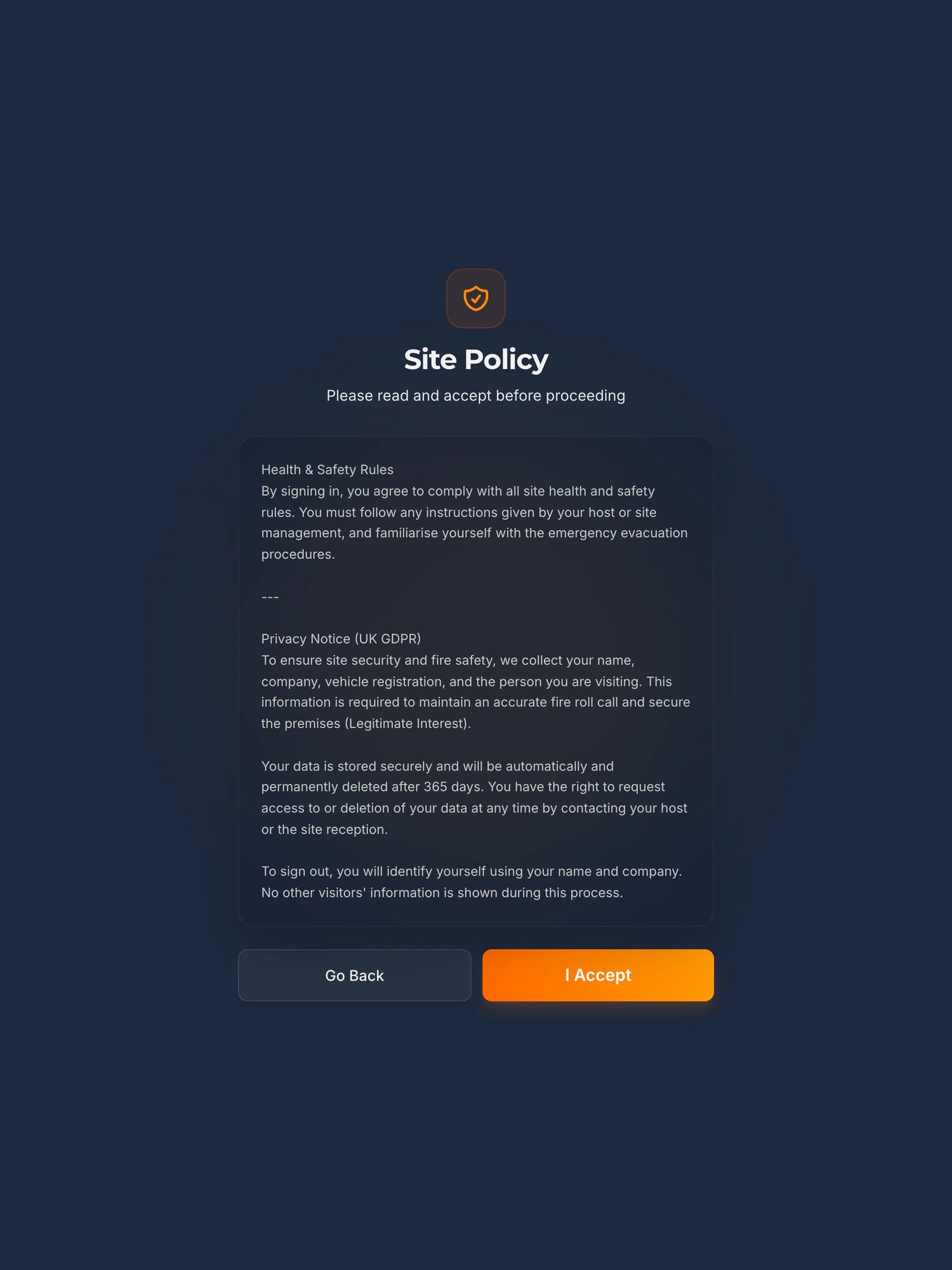
Whatever your firm needs a visitor to accept before they go through, in your words, on screen before they are signed in. Each acceptance is kept with the person, the time and a fingerprint of the exact wording they saw.
The desk told, as it happens
Each sign in posts to a Microsoft Teams or Slack channel your firm chooses: the name, the company and who they are visiting. A clerks’ room or a reception channel sees arrivals without watching the door.
Who is on your floor when the alarm goes
A live list, on a phone, of every visitor and contractor signed in and not yet out. For a firm on one floor of a shared building it is the part of the roll call the building’s own reception cannot give you.
The visitor management kiosk in fullAn NDA or confidentiality notice at sign inHow the accepted wording is kept
Privacy at the desk
Discretion is how it is built, not a setting
The iPad shows the visitor a form, your wording, and a thank you. It never shows a list of who is in the building. Signing out means typing your own name and confirming one masked match, and there is no list to browse. The arrival message to your channel carries only what was typed. There is no camera unless your firm switches badge photos on, and no photo at all on the platform alone.
Some visitors to a firm cannot be recorded at all. That decision is yours as the controller, and the kiosk does not need to know who they are: sign them in under a reference agreed with the desk so the roll call is complete, or keep them on the desk’s own list. Either way, nothing about them is on a screen.
Your firm is the controller and we are the processor, under a data processing agreement supplied as standard. You set one retention period, from a day to two years with a year as the default, and records are deleted automatically when it runs out. The data is held in the European Union, in Ireland.
Where the data lives, and every sub-processorGDPR and the paper visitor bookHow long to keep visitor records
Moving in
Four decisions before the first visitor
Which doors get an iPad: each entrance to your floor is one kiosk, all on the one site, and a visitor can sign out at any of them. What the desk needs to see: the Teams or Slack channel the arrivals go to, and who reads the dashboard. Who is on the host list: the desk and the clerks, or free text. And the words every visitor accepts before they are through.
Setup covers all four with you, on your network, with training for the desk. The first iPad and stand, hosting and support are in the £150 a month; each extra iPad on the floor is £50 a month plus £599 setup, and nothing is charged per visitor. More than one building is priced on a call.
Every price, and what is not charged forThe iPad, the stand and the enclosureOur terms in plain English
The refit, and after it
Contractors on the same iPad, permits in the same system
A fit-out brings electricians, joiners and the air conditioning people onto a floor full of client files. Contractors sign in on the same iPad as visitors, accept your site rules, and are on the same roll call. Permits to work, with RAMS and a manager’s sign off before anybody starts, are a module on the same kiosk, in early access: switched on for a site with us involved in the setup, rather than sold self serve.
Permit to work on the kioskBuilding work at an occupied siteContractor management
When the alarm goes
Your floor’s own roll call
In a shared building the fire marshal downstairs has the building’s list, not yours. The kiosk gives the firm the part of the roll call only the firm can know: which visitors and contractors are on its floor now, who each visitor came to see or which permit a contractor is under, and when they arrived, on a phone at the assembly point.
- Every visitor and contractor signed in at your kiosks and not yet signed out, on a live list you open on a phone.
- Who each visitor came to see, which permit each contractor is under, and when they arrived.
- Your own staff are not on it. There is no staff sign in, so your people stay on the rota or the building’s list, as they do today.
- A courier who only uses Delivery Drop-off is logged, but is not signed in and is not on the list.
See it work
A sign in and a fire roll call, in 100 seconds
Not filmed in an office, and the screens are the same. A visitor signs in on the iPad. The alarm goes. The marshal opens the live list on their phone and reads off who is still on site.
The player loads from YouTube only when you press play. Nothing is sent to Google before that. What happens when you do.
Being straight with you
What it does not do in an office
It tells a channel, not the individual.
Arrivals post to one Teams or Slack channel for your firm. There is no message to the person being visited. For a firm with two hundred fee earners that means a clerks’ or reception channel, and the desk passes it on.
It does not take bookings for visitors in advance.
Nobody can pre-register a client so the desk knows who is due. That is in pilot, and not built. If your floor needs it on day one, say so on the call and we will tell you straight.
It asks every visitor for a company name.
The field is required. A private client can put “Private” or the name of the firm that instructed you. Counsel, solicitors, candidates, couriers and contractors have one already.
“Person visiting” is either your whole staff list or free text.
If you load a staff list, every name on it appears in one dropdown on the iPad, which on a corridor screen is a list of your people. Most firms will load the desk and the clerks, or leave it as free text. Your choice at setup, and it can change.
It does not open doors, and it is not an intercom.
It does not talk to your door entry, access control or the building’s turnstiles. Talking to a door system is something firms ask for, and it is scoped and priced as a piece of work, not promised.
It does not watch anybody leave.
Sign out is the visitor typing their name at any kiosk on the floor, or the desk closing the record from the dashboard. Any visitor still signed in is signed out automatically at 23:59 UTC, which is 00:59 in summer, UK time; a contractor under a permit stays on the list until the permit is closed. A message at a set time saying who is still in is in pilot, and not built.
Everything else the kiosk does not doWhat is built, what is in pilot, and what has been asked for
Before you ask
The questions an office manager asks first
We have one floor of a shared building. Does that work?
Yes. Your floor is the site: your iPads at your doors, your wording, your dashboard, your records. The building’s ground floor reception is not involved and sees nothing. If you have several entrances on the floor, each gets an iPad, at £50 a month plus £599 setup for each one after the first, and a visitor can sign out at any of them.
Some of our visitors cannot be recorded at all. What then?
That is your call as the controller, and the kiosk gives you two honest ways to make it. Sign them in under a reference agreed with the desk, name “Visitor 4”, company “Private”, visiting whoever the desk is listed as, so the roll call is complete and no identity is in the record. Or keep them off the kiosk and on the desk’s own list for the evacuation. Nothing on the kiosk lists who is in, the arrival message carries only what was typed, and there is no camera unless your firm switches badge photos on.
Can clients be booked in before they arrive?
Not today. Visitor pre-registration is in pilot, and not built. What is built is the arrival message to a Teams or Slack channel the moment they sign in.
Does it tell the barrister or the partner their client is here?
It tells a channel, not the person. Each sign in posts to one Microsoft Teams or Slack channel for your firm, with the name, the company and who they are visiting. A clerks’ room or reception channel is the usual setup.
What stops people forgetting to sign out?
Three things, none of them intrusive. The visitor signs out at any iPad by typing their own name. The desk can close any open record from the dashboard. At 23:59 UTC, which is 00:59 in summer, UK time, any visitor still signed in is signed out automatically, so the next day starts clean; a contractor under a permit stays on the list until the permit is closed. Nothing watches a door, and we do not suggest anything that does.
We are fitting out and will have contractors on the floor. Can it handle their permits?
Contractors sign in on the same iPad as visitors and accept your site rules. Permits to work, with RAMS and the manager’s sign off, are a module on the same kiosk, in early access: switched on for a site with us involved in the setup, rather than sold self serve. We will say exactly where it stands on the call.
What will our IT manager ask, and what is the answer?
Where the data is held (the European Union, in Ireland), who the sub-processors are, how long records are kept (you set it, from a day to two years, a year by default), and whether anything sits on your network (no, the iPad needs WiFi and a socket). All of it is on the security page, including what we do not have: no ISO 27001 or Cyber Essentials certificate of our own yet, and we say so before you ask.
Also asked of sites like yours
The other things somebody may ask you to evidence
Each of these is a page about one standard, one duty or one visitor, written the same way as this one: what it actually asks for, what an iPad at reception records towards it, and where it does not help.
- GDPR and the visitor book
- CMMC physical security
- List X visitor control
- ITAR visitor log
- Def Stan 05-138 visitor access
- ISO 27001 visitor access
- PCI DSS visitor log
- AEO visitor access control
- CTPAT visitor log
- TISAX visitor management
- TAPA FSR visitor log
- BRCGS visitor control
- BRCGS packaging visitor control
- BRCGS storage and distribution visitors
- BRCGS unannounced audit
- Visitor control non-conformity
- SALSA visitor control
- IFS Food visitor hygiene
- UFAS feed mill visitor control
- GMP visitors in production areas
- GDP wholesale visitor control
- Fire roll call
- Contractor management
- Construction work in occupied premises
- HSE inspection records
- ISO 45001 contractor control
- Visitor NDA sign in
- Visitor record retention
- What a visitor log must contain
- Standards calendar
- Sign in sheet template
- Visitor health questionnaire template
- Contractor induction template
- Permit to work template
- Hot work permit template
- Fire drill record template
Next step
Tell us about the desk, and the date
Fifteen minutes on the phone. Which floor, how many doors, who sits on the desk, who comes through it, and when you move. We will tell you straight whether the kiosk fits, and put a price in writing the same day.
Book a 15 minute callNo visit needed and nothing to install. If it is not a fit we will say so on the call.
Would rather email? [email protected]
Not the person who signs it off? Send them the one page business case