
Visitor management system
Prove who was on your site, on any day, in ten seconds
A visitor management system on an iPad at reception. It signs visitors and contractors in and out, and keeps the record an auditor, an inspector or your customer's security questionnaire actually asks for.
Sign in on a demonstration kiosk, then open the fire roll call on your phone. Do not enter real details: everything typed is deleted within the hour.
From £150 a month plus VAT. iPad, stand and support included.
On the iPad
What a visitor actually does
Three screens from walking through the door to being on the roll call. Nobody has to be shown how, and reception does not have to hand anybody a pen. If you were looking for a digital visitor book or a visitor sign in system, this is it: the book, on a screen, with the record kept for you.
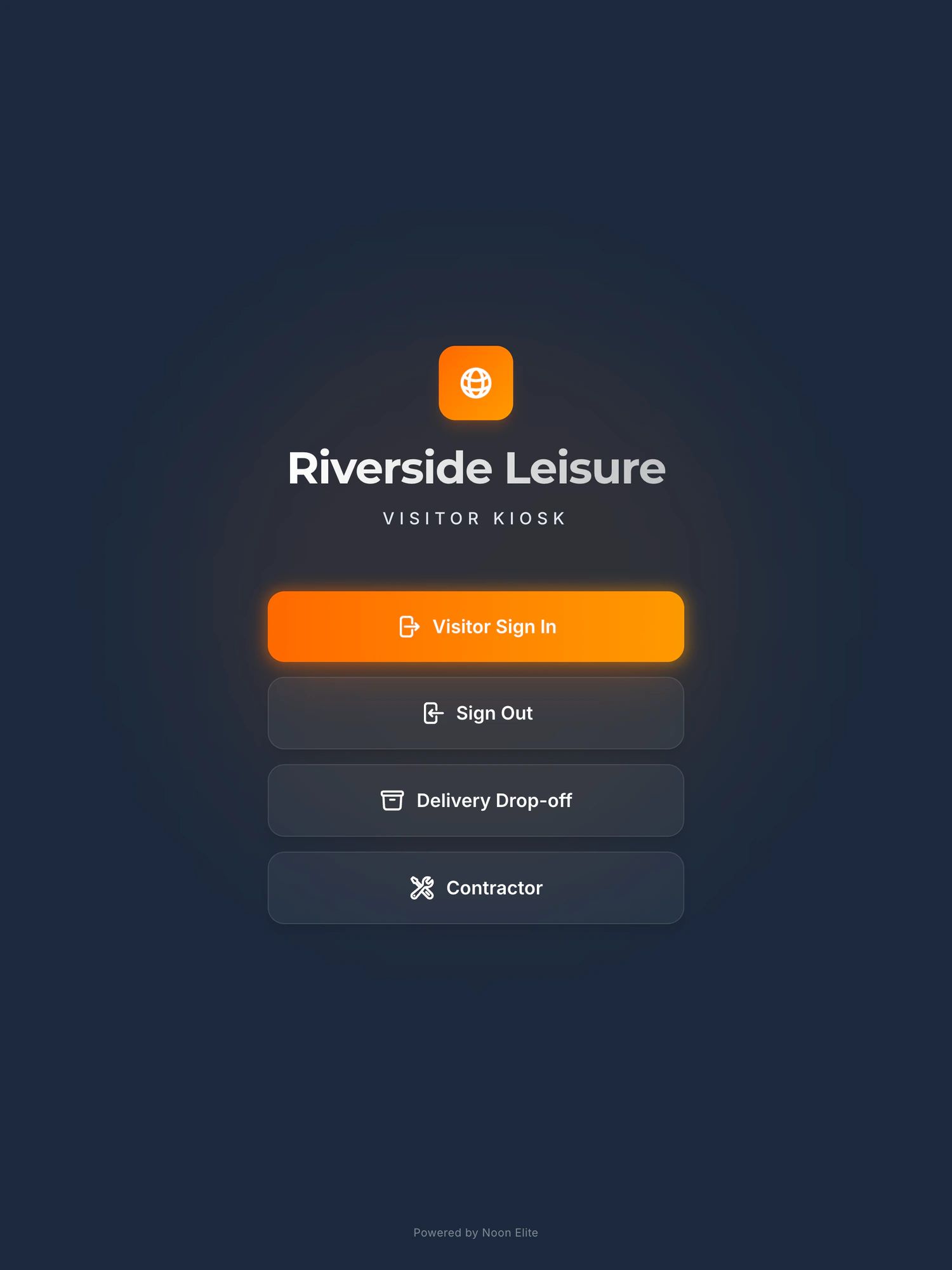
The screen at reception, with the site’s own name at the top. The Contractor button comes with the permit to work module.
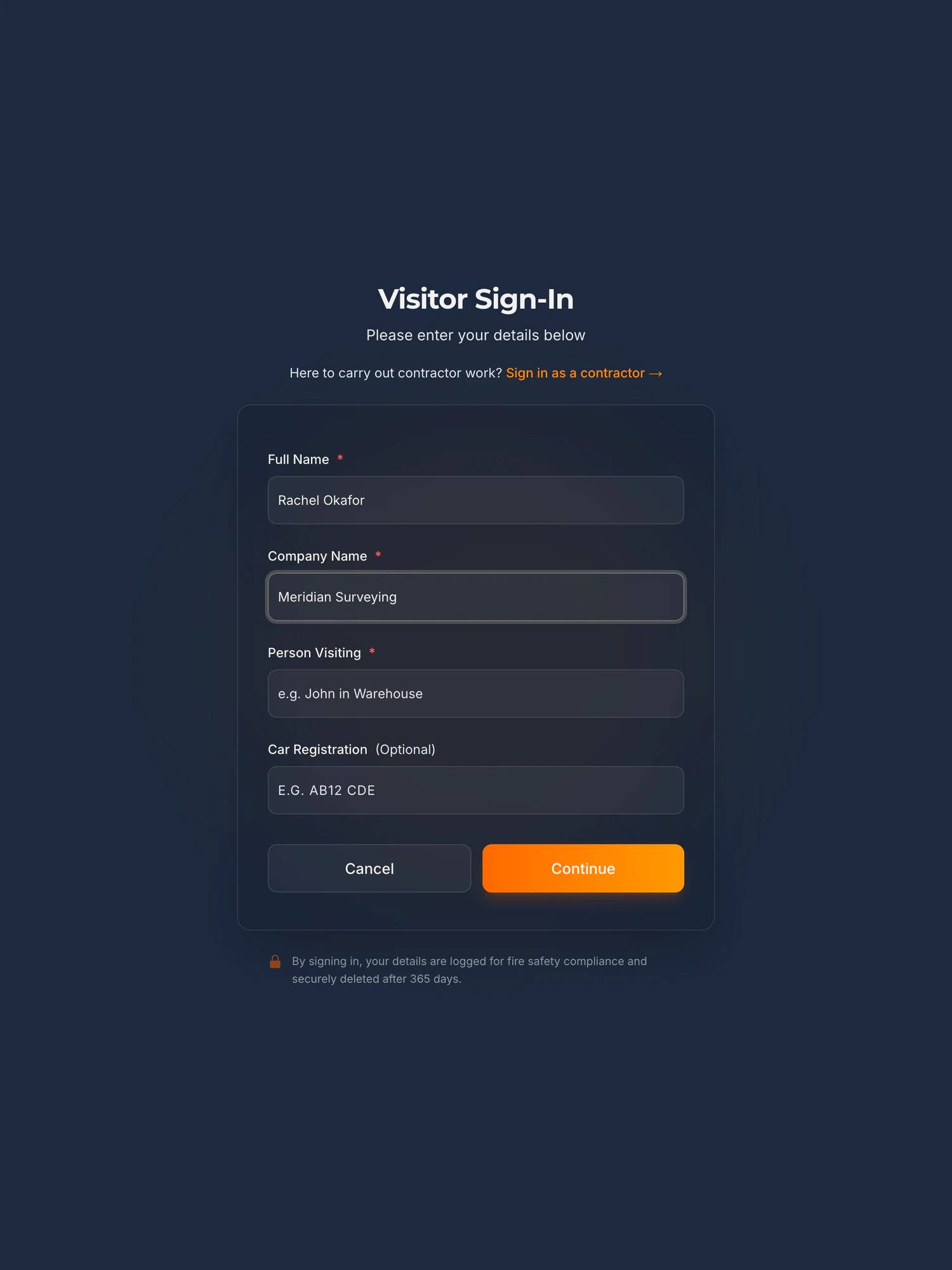
Name, company, who they are here to see, and a registration if they have driven in.
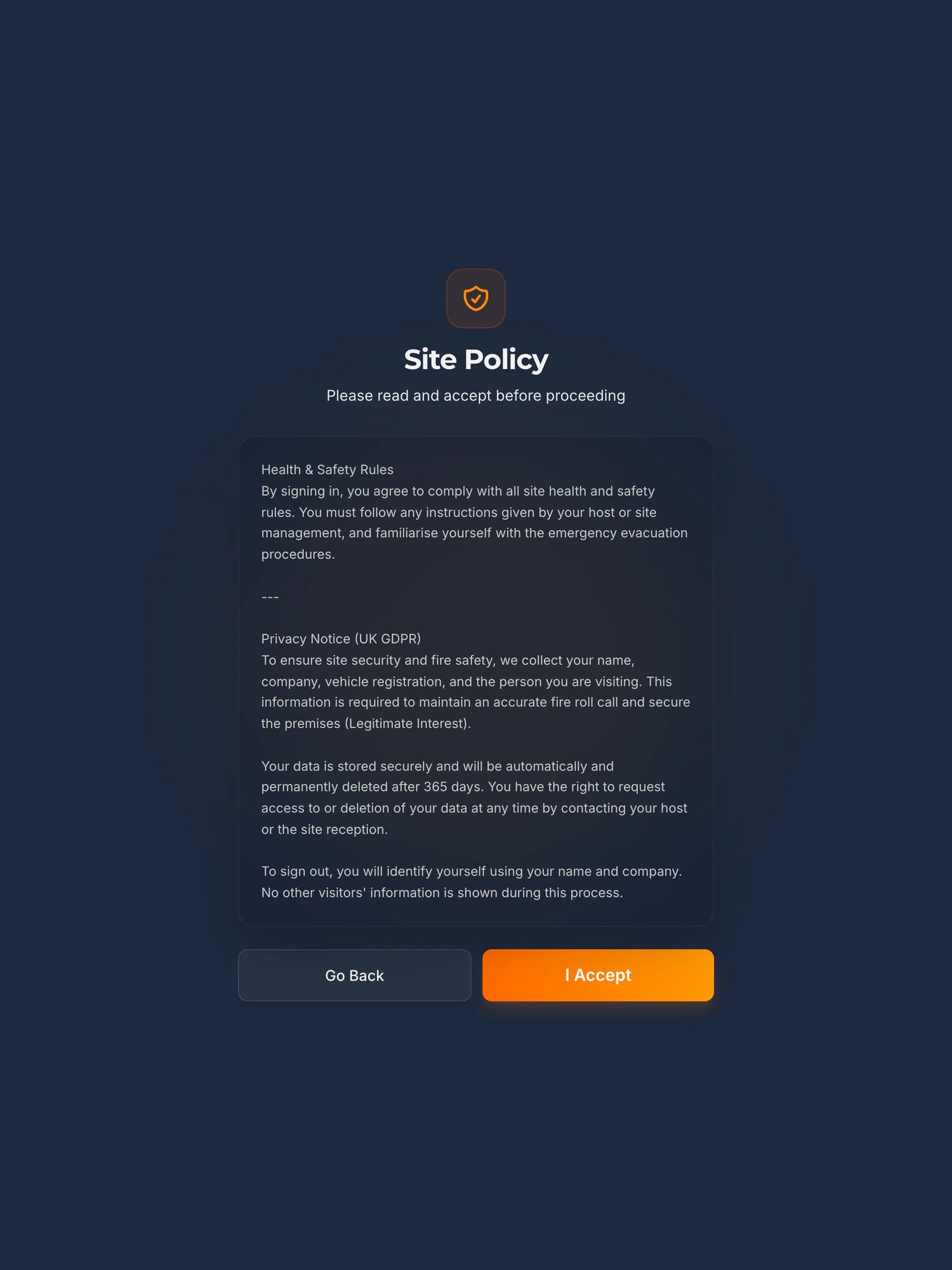
Your site rules and the privacy notice, accepted on screen before they are let through.
See it work
A fire roll call, start to finish, in 100 seconds
A visitor signs in on the iPad. The alarm goes. The marshal opens the live list on their phone at the muster point and reads off who is still on site. Nobody goes back inside for the book.
The player loads from YouTube only when you press play. Nothing is sent to Google before that. What happens when you do.
Built for audits
Records that stand up when someone asks
Visitor data handled properly
Details are captured on screen and stored encrypted on secure servers, so the last visitor’s name and number are not sitting on an open page for the next one to read. Retention runs to the period you set, and records are deleted automatically when it expires.
A roll call in seconds, not minutes
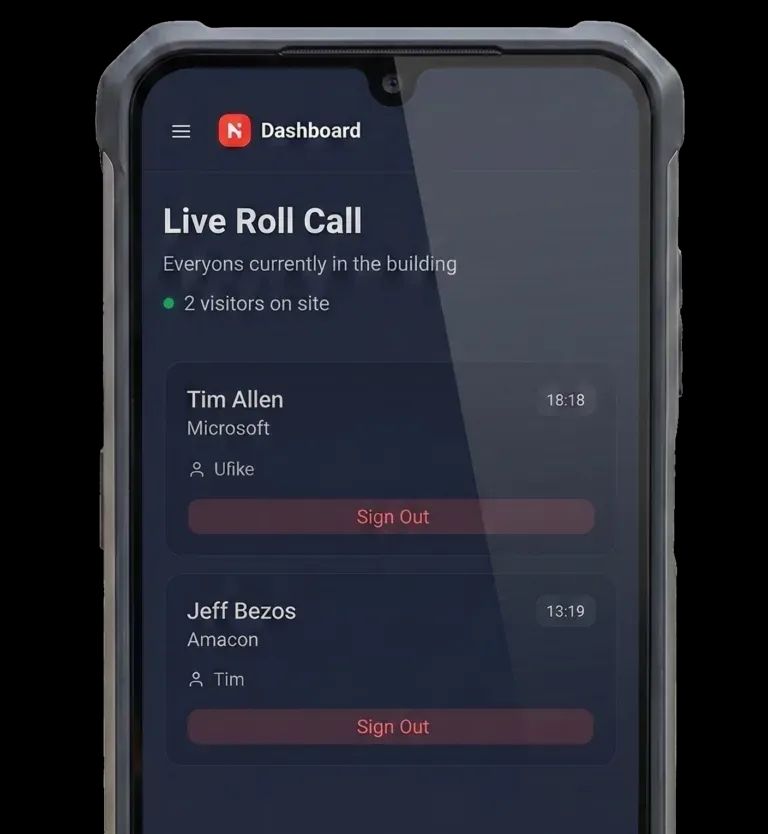
When the alarm goes, your fire marshal opens the live list on their phone at the muster point and sees every visitor and contractor currently signed in. Nobody goes back inside for the book.
Both are logged automatically, every time somebody signs in.
Add on Secure Badge and Approval
Nobody walks in unbadged and unapproved
For sites where a visitor cannot simply sign in and wander off. The kiosk holds them at reception until a member of your staff approves them, then prints a badge that says who they are and where they are allowed to go.
- 1
They sign in and wait
The visitor or contractor enters their details and who they are here to see. Nothing prints yet.
- 2
Your staff approve by PIN
A member of your staff comes to the kiosk, picks their name and enters their PIN to authorise the visit. No approval, no badge.
- 3
The badge prints
A printed badge with their name, their host and their clearance level, on a colour coded lanyard so anyone on the floor can see at a glance whether that person needs escorting.
Watch a badge print, start to finish
A demonstration on our own unit, sign-in through to the printed badge. The player loads from YouTube only when you press play. What happens when you do.
What prints on it is up to you
Name, company, who they are visiting, the date and a clearance level you define, with a photo if your site wants one. Colour coded lanyards separate escorted visitors from cleared contractors without anyone having to ask.
Every approval is logged
Who was badged, who approved or refused it and when, in a log that cannot be edited. Twelve months of history, exportable when somebody asks to see it.
If a customer has asked you to evidence physical protection controls, this is the part that produces the record. To be straight with you: we are not assessors, and no kiosk makes anyone compliant. It keeps the evidence those controls ask for, and your assessor decides the rest. How this maps onto CMMC and NIST SP 800-171.
Label printer, badge stock and lanyards included and maintained.How the badge module worksSee pricing
Site rules
Everyone who comes through the door has read your rules
Your site rules, your induction and your safety wording go on the screen. Nobody gets signed in until they have read them and acknowledged them by name.
Your wording, not ours
PPE, speed limits, no-go areas, whatever your site needs. Different wording for each site if you have more than one.
Acknowledged, not assumed
Each acknowledgement is stored against a named person with the date and time, so you can show who agreed to what and when.
Change it once
Update the wording and it applies to the next person who signs in. No reprinting, no laminated sheet three years out of date.
Add on Early access
Contractors on site as well as visitors?
The Permit to Work module raises contractor permits before arrival, stores the RAMS and certificates against the job, and records every sign off on screen. If you need to show who authorised a contractor and what they were allowed to do, it is on the same kiosk.
Contractor sign in, RAMS and site rulesISO 27001 visitor access controlSecurity, hosting and sub-processors
What you get
Everything you need, fully managed
One monthly price. No hardware to buy, no maintenance contract, no IT project to run.
The hardware
A commercial grade iPad on a steel floor stand, with a locking enclosure and a concealed power cable. It arrives configured and ready to sign someone in.
Failures covered
If a unit fails we ship a configured replacement in three to five working days, at no cost to you. Accidental damage, loss and theft are chargeable, which is why it sits in a locking steel enclosure.
Installed and set up
We configure your sites, your host list and your safety wording before it ships, then set it up and train your reception team on the day.
Kept running
Secure hosting, nightly backups, software updates and support are all part of the monthly fee. You will not be sent a bill for a version upgrade.
All you provide is a WiFi connection and a spare plug socket.What arrives, and who owns it
Day to day
Nobody stands at reception waiting to be found
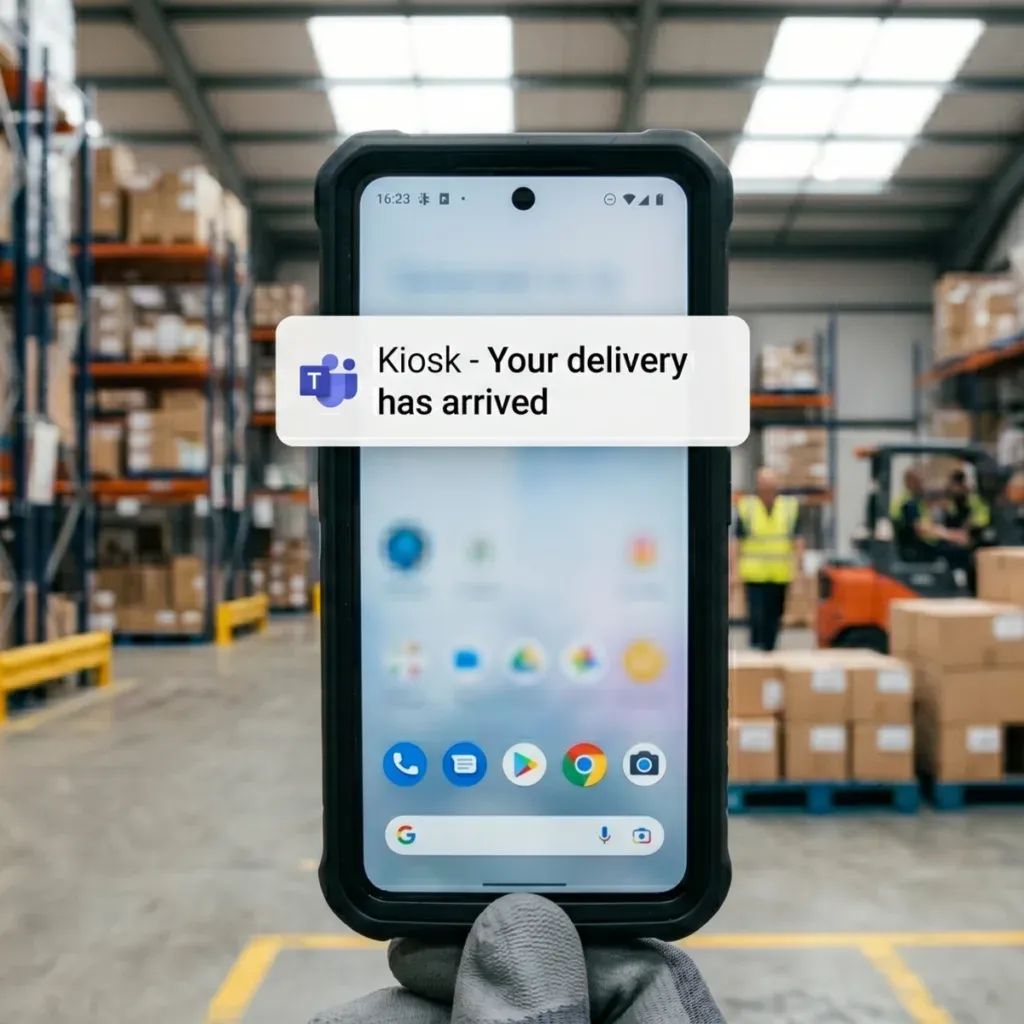
A driver or a visitor signs in on the iPad and your reception channel in Microsoft Teams or Slack gets a message straight away, naming them and who they are here for. No tannoy, no wandering the floor looking for someone.
- Deliveries logged as they arrive, with the time and the carrier
- Your Teams or Slack channel is told as soon as a courier logs a drop-off
- Works when reception is unstaffed or covering another job
- Every arrival is on the record without anyone writing it down
The delivery drop-offHow the Teams message worksIf nobody sits at your reception at all
Nothing for you to run
Your IT team never has to touch it
There is nothing to install on your network and no server to look after. We run the whole thing and you use it.
Fully managed
- Updates arrive on their own, outside your working hours
- Hosting, backups and monitoring run in the background
- If something stops working, you call us and we fix it
- No software on your machines and no server to maintain
Built around how you work
Most sites run fine on the standard setup. If yours needs something specific, tell us and we will scope it and give you a fixed price before any work starts.
Things people ask for
- Talking to an existing access control or door system
- Alerts into a particular Teams or Slack channel
- Site specific safety rules, inductions and wording
- Exports that match the format your auditor expects
What the kiosk does not do, and what to do instead, is on one plain list. What is built, what is in pilot and how a request becomes part of the kiosk is on the roadmap.
Pricing
£150 a month for the platform, £150 for each module
Setup from £599 per site. No per visitor charges and no per user licences, so a busy reception does not cost more than a quiet one. The full breakdown, a worked year one total and the contract terms are all on the pricing page.
Next step
See what your sign in records would look like
Fifteen minutes on the phone. Tell us how people sign in today and what you have been asked to evidence, and we will tell you straight whether this is worth your time.
Book a 15 minute callNo site visit needed and nothing to install. If it is not a fit we will say so on the call.
Would rather email? [email protected]