
Demo
Watch it work before you talk to anyone
No form, no sign-up and no sales call. First, a live demonstration kiosk you can sign in on from your own browser, with a fire roll call you open on your phone. Then the screens in the order a visitor meets them and three short videos, all recorded on a real unit against a demonstration site. If it looks right for your reception, the next step is fifteen minutes on your own questions.
The videos load from YouTube only when you press play. Nothing is sent to Google before that.
Try it yourself
Sign in on a demonstration kiosk, then watch your name reach the roll call
It is the real visitor flow with fictional data, on a fictional site where three plainly fictional people are already signed in. Nothing to install and nobody to talk to.
Sign in on a demonstration kiosk, then open the fire roll call on your phone. Do not enter real details: everything typed is deleted within the hour.
- 1
Start a session
One button starts a private demonstration session. No form, no email and no account.
- 2
Sign in as a visitor
The real kiosk visitor screens. Enter a name and a company, pick who you are visiting from a short fictional staff list, read and accept the site rules, and you are signed in.
- 3
Open the roll call on your phone
The live fire roll call for your session: a QR code if you are on a wide screen, a button if you are on a phone. It shows the fictional people and the name you just entered, and updates within a few seconds.
- 4
Sign out, and watch the name leave
Sign out on the kiosk and the name leaves the roll call. You can also log a delivery.
What happens to what you type
- A session lasts 45 minutes, and everything typed in it is deleted within the hour
- Nobody else can see what you typed
- It runs on a separate demonstration system, not the system customers’ records are held on
- The demonstration keeps no analytics. It keeps daily totals only: how many sessions were started, how many opened the roll call, and which page of this site they were started from
- It opens in a new tab and is not part of this website. The address of the link carries the page of this site it was on, and nothing else
What the demonstration does not show
- Badge printing and approval
- Photographs
- Permit to Work
- The dashboard
- The Teams and Slack messages: the demonstration sends nothing anywhere
The badge, the permit, the record you export and the delivery message are in the screens and videos further down this page.
At the door
Three screens from walking in to being on the roll call
Nobody has to be shown how, and reception does not have to hand anybody a pen. The rules and the wording are yours, configured before the unit ships.
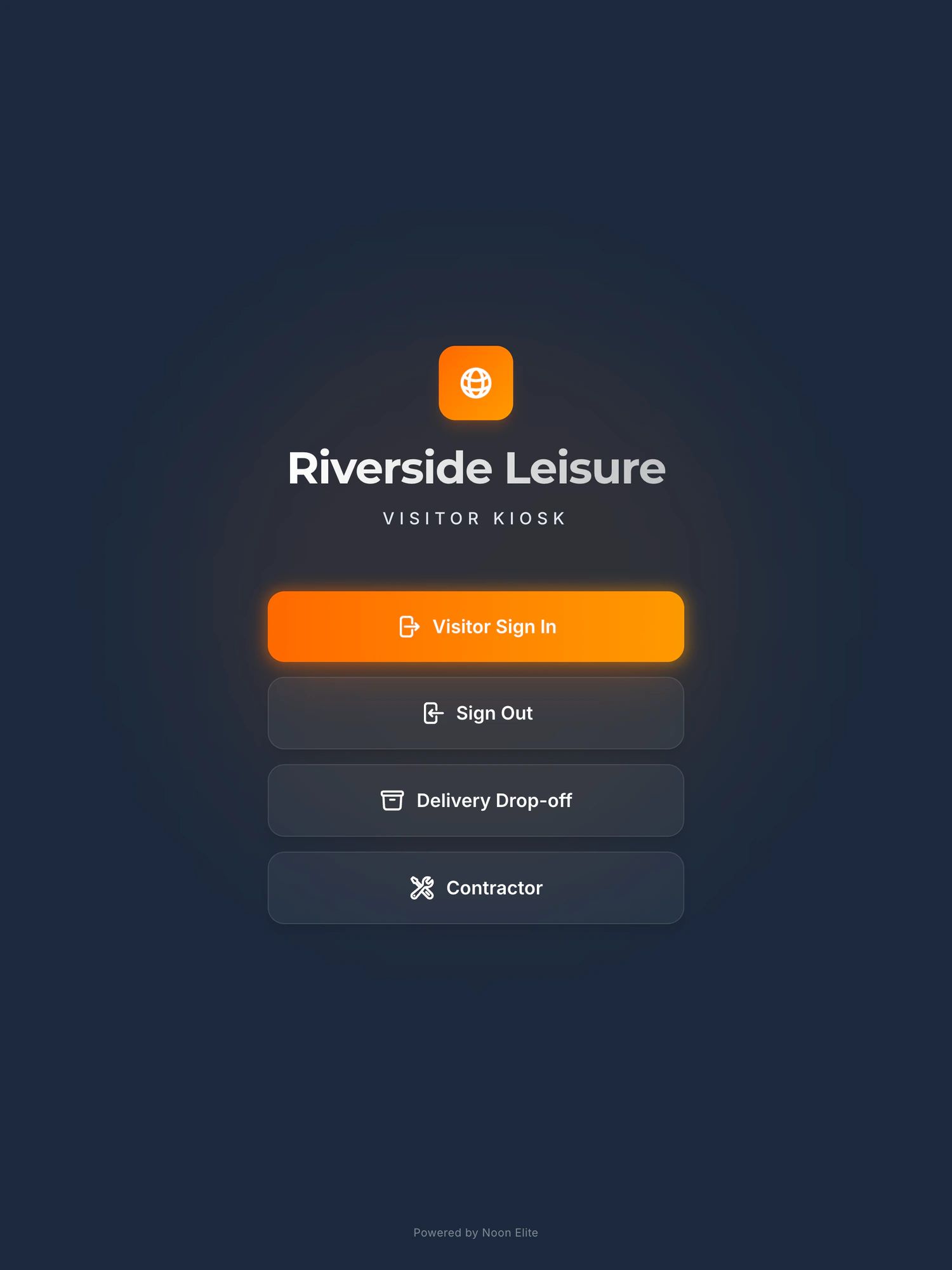
1. The screen at reception, with the site’s own name at the top. The Contractor button comes with the permit to work module.
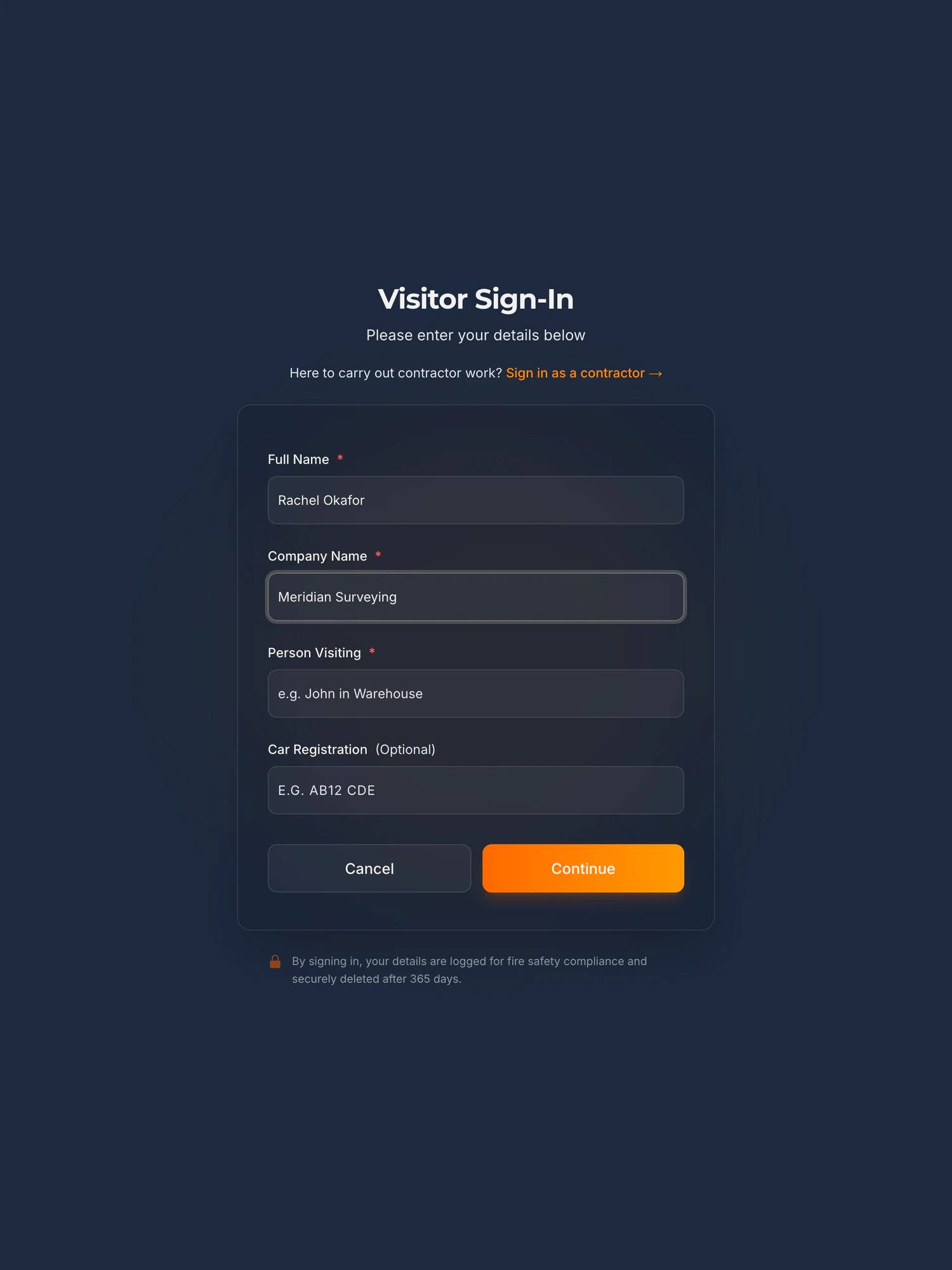
2. Name, company, who they are here to see, and a registration if they have driven in.
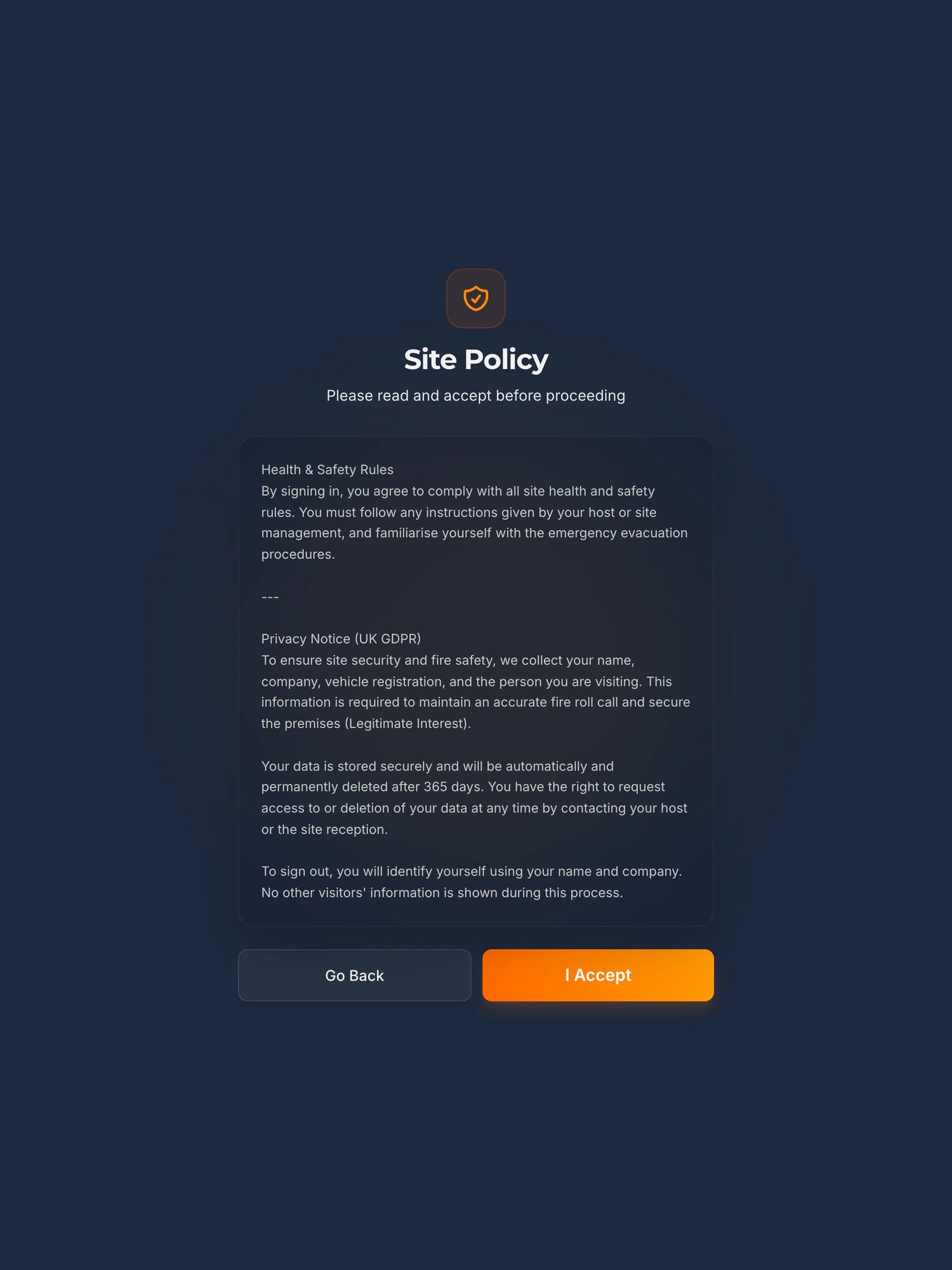
3. Your site rules and the privacy notice, accepted on screen before they are let through.
When the alarm goes
A fire roll call, start to finish, in 100 seconds
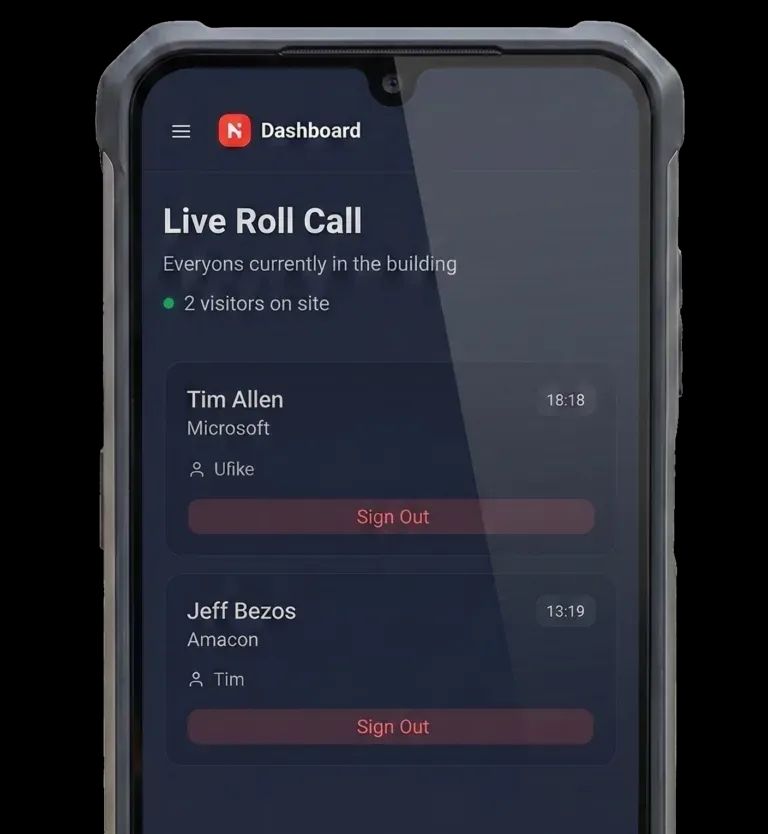
A visitor signs in on the iPad. The alarm goes. The marshal opens the live list on their phone at the muster point and reads off who is still on site. Nobody goes back inside for the book.
Included in the platform, not an add-on. The player loads from YouTube only when you press play. What happens when you do.
At the muster point
The list is on the phone already in their pocket
- Everyone currently signed in, on any phone, without going back inside
- Visitors and contractors on the same list, with any driver who signed in rather than just dropping off
- Updates as people sign out, so the count is what it is now, not this morning
- Works on mobile data if the alarm has taken your WiFi with it
- Nothing to install: the marshal opens a link, not an app
When somebody asks
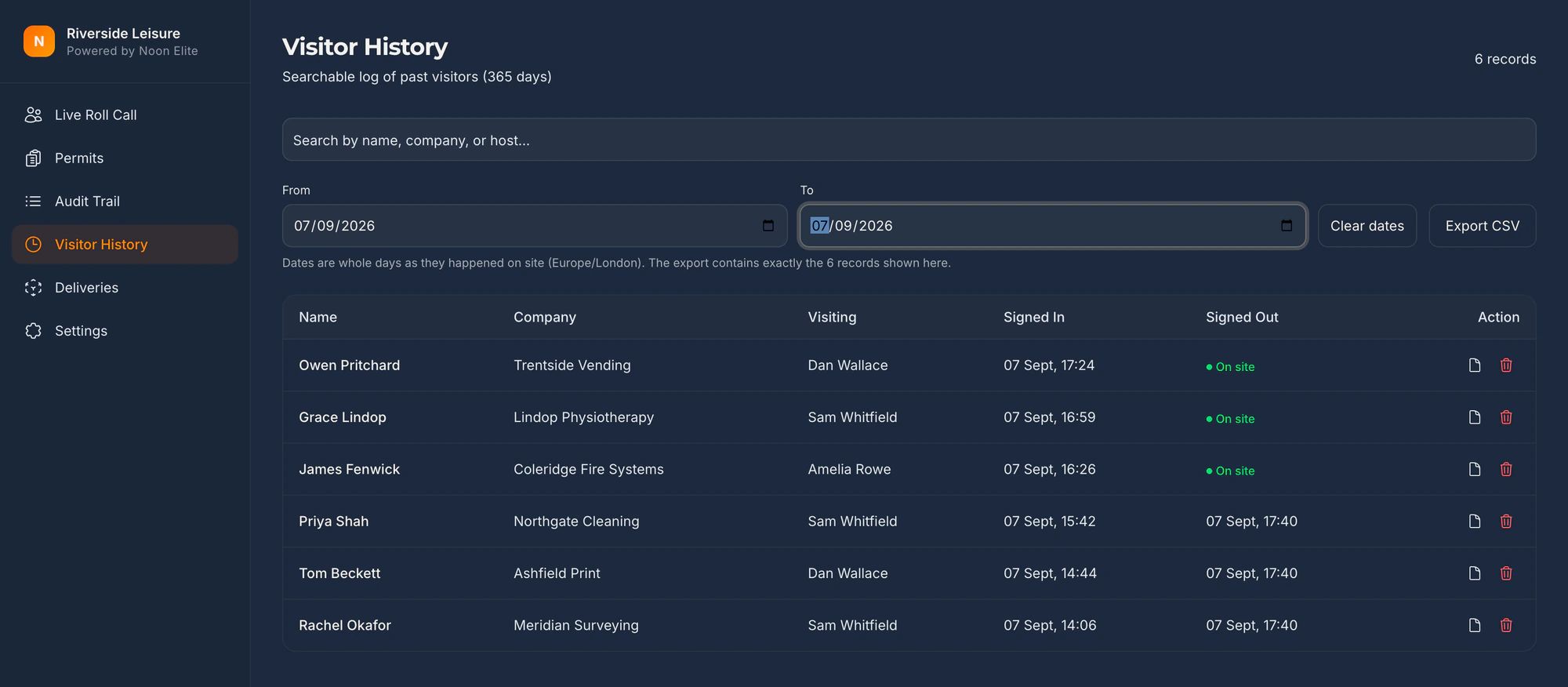
Who was on site on the fourteenth, and who were they with?
This is the screen the whole thing exists for. Filter by date, by company or by host, and export it to a file that opens without our software.
Optional module
A badge, printed only after your staff approve it
The visitor signs in and waits. The host is notified and enters a PIN on the kiosk to authorise the visit. No approval, no badge. Colour coded, so anyone on the floor can see whether that person needs escorting.
Secure Badge and Approval is an add-on at £150 a month plus VAT, label printer included. The platform works without it. Every price.
Day to day
Nobody stands at reception waiting to be found
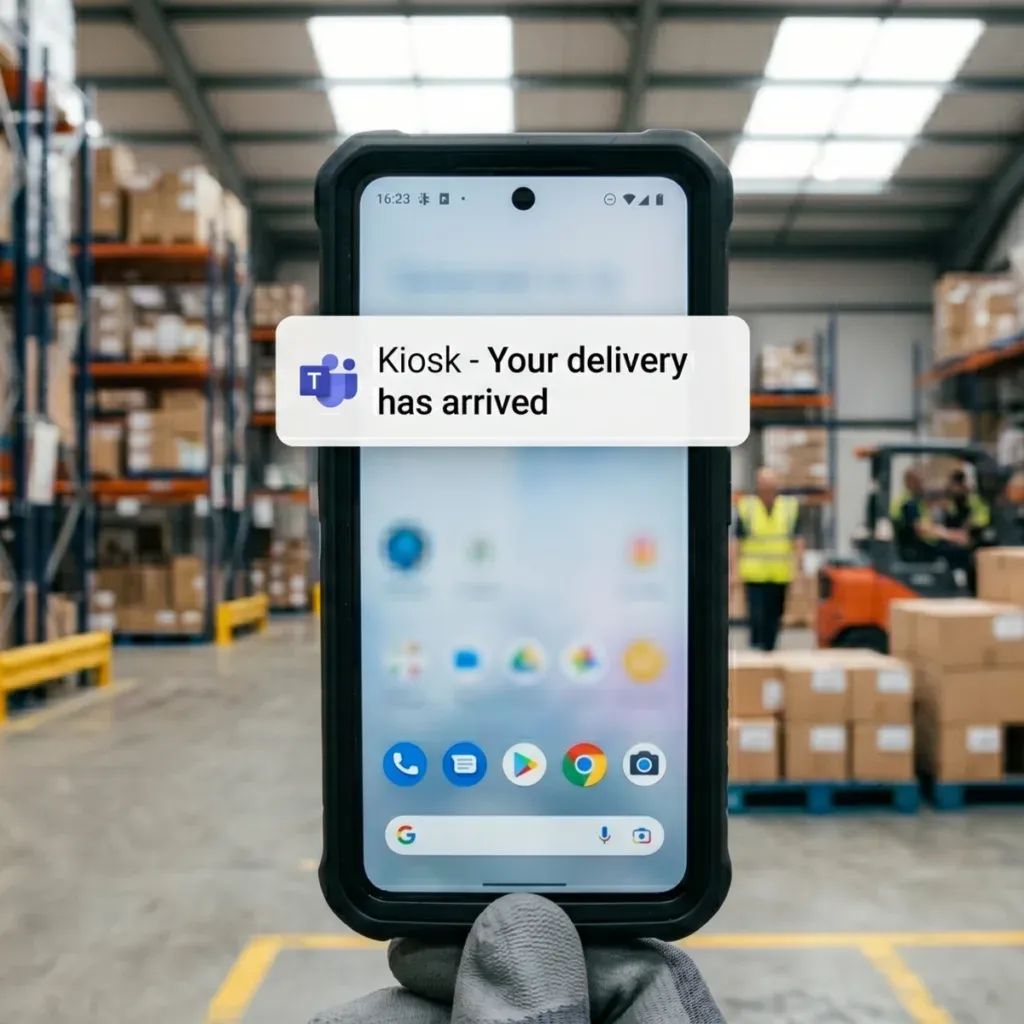
A driver or a visitor signs in on the iPad and the person they are here for gets a message straight away, in Microsoft Teams or Slack. No tannoy, no wandering the floor looking for someone.
- Deliveries logged as they arrive, with the time and the carrier
- The host is notified by name, not the whole office
- Works when reception is unstaffed or covering another job
- Every arrival is on the record without anyone writing it down
Optional module, early access
A contractor permit, raised to signed off, in ten minutes
The long one, for the person who issues permits. One job from the duty manager raising it in four fields to nobody being able to invoice until the fire watch has been signed. The contractor’s office does the RAMS from a link in an email, and the engineer signs in with a six-digit code.
Recorded end to end against a demo site: every name, company, document and reading in it is fictional. Permit to Work is an add-on in early access.What it does, and what early access means.
Next step
Now see it on your own questions
Fifteen minutes on a call, with the kiosk on screen and your site’s rules, your doors and your auditor’s questions in place of the demonstration ones. You will get a straight answer on fit and a price in writing.
Book a 15 minute callNo site visit needed and nothing to install. If it is not a fit we will say so on the call.
Would rather email? [email protected]
Not the person who signs it off? Send them the one page business case