
Replacing a system you already have
Switching from a visitor system you already have
Most sites that call us already have something: a sign in system bought years ago, a contract with a renewal date, a tablet that stopped getting updates, or a supplier that could not do the one thing the site now needs. The question is never whether an iPad can take a name. It is what happens to the records, the staff list, the badges and the desk on the morning the old one is switched off. This page answers that, honestly, including the parts that do not carry across.
Sign in on a demonstration kiosk, then open the fire roll call on your phone. Do not enter real details: everything typed is deleted within the hour.
From £599 setup and £150 a month plus VAT, iPad and stand included.
Who this is for
A site with a digital sign in already, and a reason to change it
The reasons we hear are a renewal date on a contract nobody is happy with, a price that went up, a system that failed at the one thing the site now needs (a permit for contractors, an alert into Teams, a record of what a visitor actually accepted), hardware that is out of support, or a security questionnaire the old supplier could not answer. The worry is the same in every case: a gap at the desk, records lost, a receptionist retrained for nothing.
If you are choosing between suppliers rather than leaving one, the comparison table and the requirements checklist are the pages for that. This one is for the changeover.
The changeover
What moves across, and what does not
Six things a site has in its old system. For each one, the honest answer first, then what to do about it.
Your visitor records
Do not move. Nothing imports another system’s records, and nothing ever will be typed in by hand.
Before the old system is switched off, export its records and keep the file for as long as your retention period says. The kiosk starts clean on its first morning. A fire roll call needs today’s visitors, not last year’s, and an auditor who asks for a record from June is shown the old export.
Your staff list, for the “Person visiting” dropdown
Typed into the dashboard one name at a time: full name, department if you want it, and which site. There is no spreadsheet upload.
Send us the list before setup and we enter it. Fifty names is a short job. Many sites load reception and the managers rather than everyone, so the dropdown stays short; or leave it as free text.
Your site rules, declaration or confidentiality notice
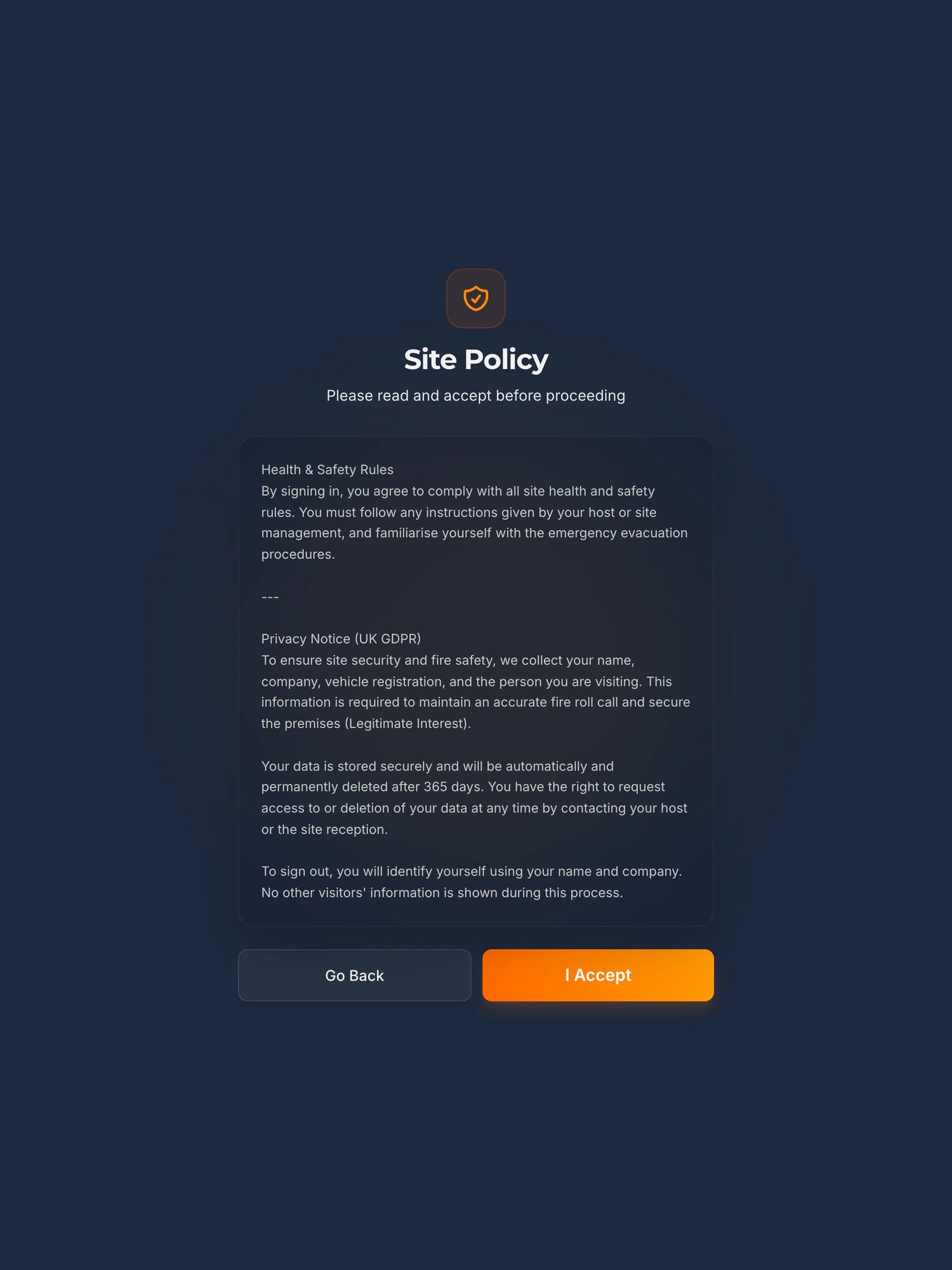
Pasted into the dashboard as plain text. From then on every acceptance is kept with the person, the time and a fingerprint of the exact wording they saw.
Bring the wording your old system showed, or the paper it replaced. If the old system never recorded which version a visitor accepted, this is the one thing that gets better on day one.
Where arrivals are announced
One Microsoft Teams or Slack channel per company, set from the dashboard with the channel’s webhook address.
Your IT person makes the channel and pastes the address. There is no message to the individual host: the channel is told the name, the company and who they are visiting.
How long records are kept
You set it, from one day to two years, a year by default, and records are deleted automatically when it runs out.
Set it to match what your old system did, or what your retention schedule says. The privacy notice the kiosk shows under your wording states the period you chose.
Badges, printers and the old hardware
None of it is reused. The iPad, its floor stand and locking enclosure come with the £150 a month. With the Secure Badge and Approval module the label printer, badge stock and lanyards come too, set up before they ship.
Whatever tablet or printer the old system ran on goes back to its owner or into a drawer. Check whose it is before you give notice.
The visitor management kiosk in fullHow the accepted wording is keptHow long to keep visitor records
The first morning
Switch the old one off the day the iPad is on the desk
Keep the old system running until the kiosk is on the desk and the first sign in has posted to your channel. Then switch the old one off that morning and keep its export. There is no reason to run two systems for a week, and one thing to avoid: a day with neither, which is the day somebody arrives and the alarm goes.
What we need from you before that day: the switch off date, the staff list, the wording visitors accept, the Teams or Slack channel, and a WiFi connection and a mains socket where the kiosk is going. Nothing is installed on your network. Setup covers the rest with you, with training for the desk, and the proposal puts the install date in writing against the date you gave us.
The iPad, the stand and the enclosureEvery price, and what is not charged forArrivals in Microsoft Teams
Leaving well
Four questions for the supplier you are leaving, and our answers to the same four
Put them in writing before you give notice. If the answers are slow or vague, that is worth knowing while you still have the records.
Can we have every visitor record you hold, in a file we can open, before the switch off date?
Our answerYes, at any time, from the dashboard: a CSV of name, company, host, signed in and signed out in UK time, for whatever dates you choose. Nobody asks us first.
When does the contract end, how much notice do you need, and in writing to whom?
Our answerTwelve months at first, then rolling. After the first year we can change the price on thirty days’ written notice, and if you do not want the new price you give notice and leave. It is on the pricing page, not in a call.
What happens to our records after we leave, and when are they deleted?
Our answerThe security page says what happens to the data on exit, in the shape a questionnaire asks for, and the data processing agreement says it in the words that bind us.
Is the tablet, the printer and the stand ours or yours?
Our answerOurs, included in the monthly price, and we replace a failed unit at no cost. That is why the question matters on the way out of the old contract: the hardware you have may not be yours to keep.
Where the data lives, every sub-processor, and what happens on exitOur terms in plain EnglishThree years, the terms and the risks, on one page
What gets better on day one
The things an old system usually did not do
A record of which words each visitor accepted
Go Back or I Accept, and nothing else, before anyone is signed in. Each acceptance is kept with a fingerprint of the exact wording shown, so a question about what a contractor was told in March has an answer.
A roll call you read from a phone
Every visitor and contractor signed in and not yet out, live, at the assembly point. Anyone still signed in at the end of the day is signed out automatically at 23:59 UTC, so the next morning starts clean.
Arrivals where your people already look
Each sign in posts to a Microsoft Teams or Slack channel you choose, with the name, the company and who they are visiting. Nobody watches the door.
Contractors on the same iPad, permits in the same system
Contractors sign in where visitors do and accept your site rules. Permits to work, with RAMS and a manager’s sign off before anybody starts, are a module on the same kiosk, in early access: switched on for a site with us involved in the setup, rather than sold self serve.
The roll call, on its ownContractor sign in, RAMS and site rulesPermit to work on the kiosk
Being straight with you
What it does not do when you switch
It does not import anything from the old system.
No records, no staff list, no settings. The records are exported from the old system and kept by you; the staff list and your wording are entered at setup, by us if you send them.
It does not talk to the old system, your door entry or your directory.
If the old system opened a turnstile or read your Active Directory, the kiosk does not. Talking to a door system is something sites ask for, and it is scoped and priced as a piece of work, not promised.
It does not take bookings for visitors in advance.
If the old system let hosts pre-register a visitor, say so on the call. Pre-registration is in pilot, and not built, and we will tell you straight before you give notice on anything.
Staff do not sign in on it.
The staff list is for the host dropdown. The roll call lists visitors and contractors signed in at the kiosk and not yet out; your people stay on the rota or the clocking system, as they do today.
It does not promise a go live date on a web page.
The date goes in the proposal, in writing, against the switch off date you give us. Around the East Midlands we install in person; further afield the kiosk ships configured with a card for the person who opens the box, and can be installed in person by arrangement.
Everything else the kiosk does not doWhat is built, what is in pilot, and what has been asked for
Before you ask
The questions a site asks when it is leaving a system
Can you import our visitor history from the old system?
No. Nothing imports another system’s records. Export them from the old system before it is switched off and keep the file for your retention period. The kiosk starts clean, and from its first sign in every record is yours to export at any time.
Our contract ends on a date. Can the kiosk be in before then?
Tell us the switch off date on the call and the proposal puts the install date in writing against it. We do not promise a number of days on a web page, because the honest answer depends on where you are and whether the badge module is in the order.
Do we run both systems side by side?
There is no reason to. Keep the old system until the iPad is on the desk and working, then switch the old one off that morning. Keep the export. The one thing to avoid is a day with neither.
We have a staff list of two hundred names. Does it have to be typed in?
Each name is added on the dashboard one at a time, and there is no spreadsheet upload. Send us the list and we enter it at setup. Most sites load reception and the managers rather than everyone, so the dropdown on the iPad stays short; a site that prefers no list leaves the host field as free text.
The old system printed badges on our own printer. Can you use it?
No. The Secure Badge and Approval module comes with its own Brother QL-820NWBc label printer, badge stock and lanyards, set up before it ships, at £150 a month on top of the platform. Without the module there is no badge and no printer.
What will our visitors notice?
An iPad instead of whatever was there, your wording on screen before they are signed in, and a privacy notice under it that states how long the record is kept. Signing out is typing their own name. Nothing on the screen shows them who else is in.
What do we tell the old supplier?
Four things, in writing: the date you are leaving, that you want a full export of your records in a file you can open before that date, confirmation of when they will delete what they hold, and whose hardware is on the desk. The same four questions are answered for us on this page, the pricing page and the security page.
Also asked of sites like yours
The other things somebody may ask you to evidence
Each of these is a page about one standard, one duty or one visitor, written the same way as this one: what it actually asks for, what an iPad at reception records towards it, and where it does not help.
- GDPR and the visitor book
- CMMC physical security
- List X visitor control
- ITAR visitor log
- Def Stan 05-138 visitor access
- ISO 27001 visitor access
- PCI DSS visitor log
- AEO visitor access control
- CTPAT visitor log
- TISAX visitor management
- TAPA FSR visitor log
- BRCGS visitor control
- BRCGS packaging visitor control
- BRCGS storage and distribution visitors
- BRCGS unannounced audit
- Visitor control non-conformity
- SALSA visitor control
- IFS Food visitor hygiene
- UFAS feed mill visitor control
- GMP visitors in production areas
- GDP wholesale visitor control
- Fire roll call
- Contractor management
- Construction work in occupied premises
- HSE inspection records
- ISO 45001 contractor control
- Visitor NDA sign in
- Visitor record retention
- What a visitor log must contain
- Standards calendar
- Sign in sheet template
- Visitor health questionnaire template
- Contractor induction template
- Permit to work template
- Hot work permit template
- Fire drill record template
Next step
Tell us what you have, and the switch off date
Fifteen minutes on the phone. What the old system does that you need kept, what it never did, how many names on the host list, and the date it goes off. We will tell you straight what carries across, and put a price and an install date in writing the same day.
Book a 15 minute callNo visit needed. If the old system does something we do not, we will say so on the call, before you give notice.
Would rather email? [email protected]
Not the person who signs it off? Send them the one page business case